Watch & listen

Getting Started: Installation [Bitwig Studio]

Also in this recording Bitwig Studio 16-Track to Studio 4 Upgrade

Welcome to Bitwig Studio! This video shows you how to register your license, install the application and launch Bitwig Studio for the first time.   Contents: 0:12 - Creating your user account at https://www.bitwig.com... Read more

Welcome to Bitwig Studio! This video shows you how to register your license, install the application and launch Bitwig Studio for the first time.   Contents: 0:12 - Creating your user account at https://www.bitwig.com 0:31 - Registering your serial number 0:46 - Some words about the Bitwig Studio upgrade plan 1:10 - Downloading the Installer 1:23 - Installing the Bitwig Studio application 1:36 - Launching Bitwig Studio for the first time 2:27 - Using the Dashboard to access manuals, tutorials, settings, sound content, and quick start templates
Getting Started: First Steps [Bitwig Studio]

Also in this recording Bitwig Studio 16-Track to Studio 4 Upgrade

This video walks through a first launch of Bitwig Studio.   Contents: 0:11 - Using the Dashboard to access… everything 0:24 - Loading a Quick Start template 0:32 - Window overview 1:10 - Playing notes on your compu... Read more

This video walks through a first launch of Bitwig Studio.   Contents: 0:11 - Using the Dashboard to access… everything 0:24 - Loading a Quick Start template 0:32 - Window overview 1:10 - Playing notes on your computer keyboard 1:50 - Connecting an external controller 2:32 - Recording notes 3:11 - Accessing tutorials, manuals, and the “Getting Started” Guide

From Bitwig

Summary of Key Features:
4.0
  • Audio Comping
  • Operators
  • Expression Spread
  • Apple Silicon (M1) Native Support
4.1
Note FX
4.2
Note GRID
Chorus +
Flanger +
Phaser +
4.3
Convolution Device
Delay +
Polymer Overhaul and new GRID Modules
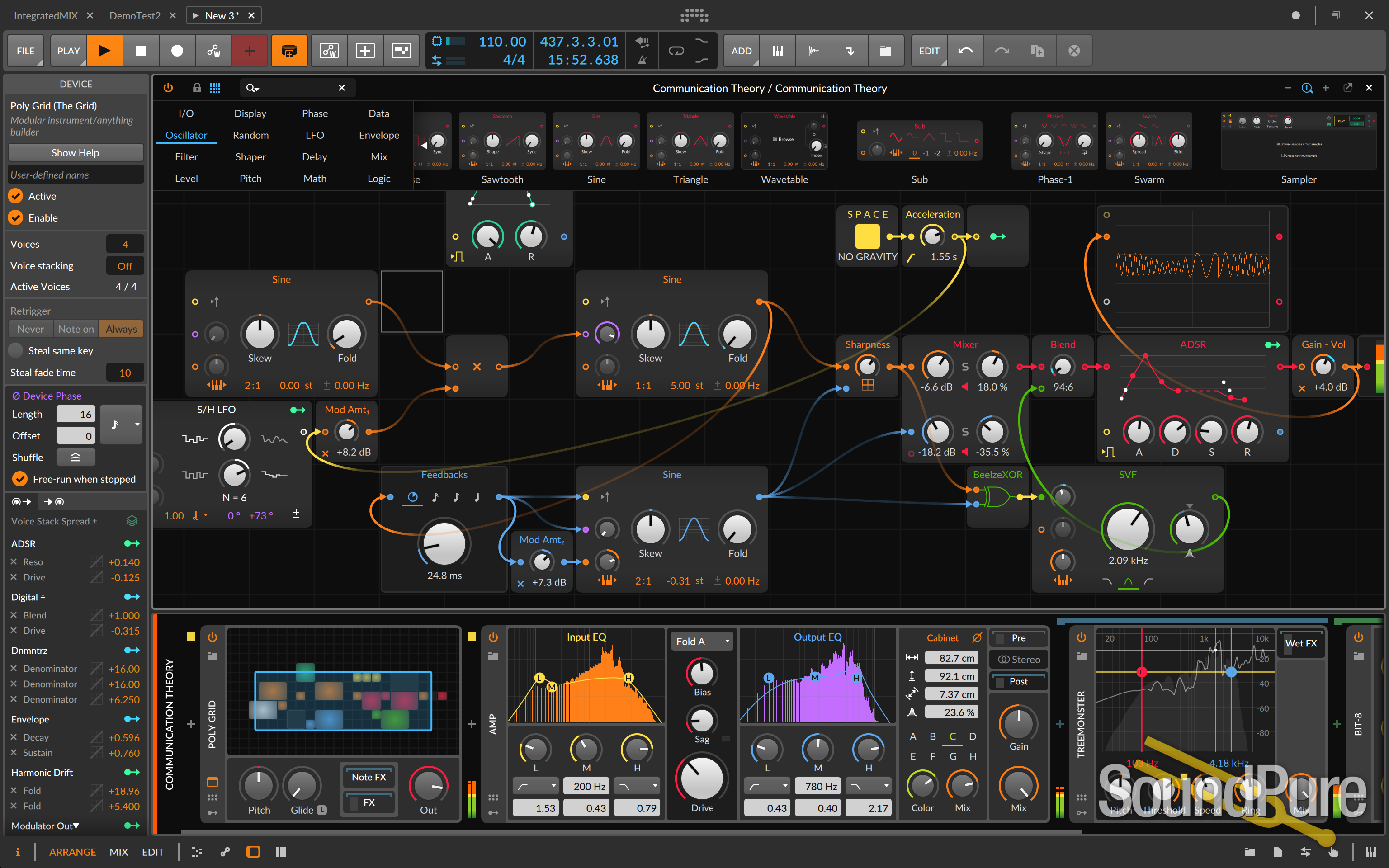
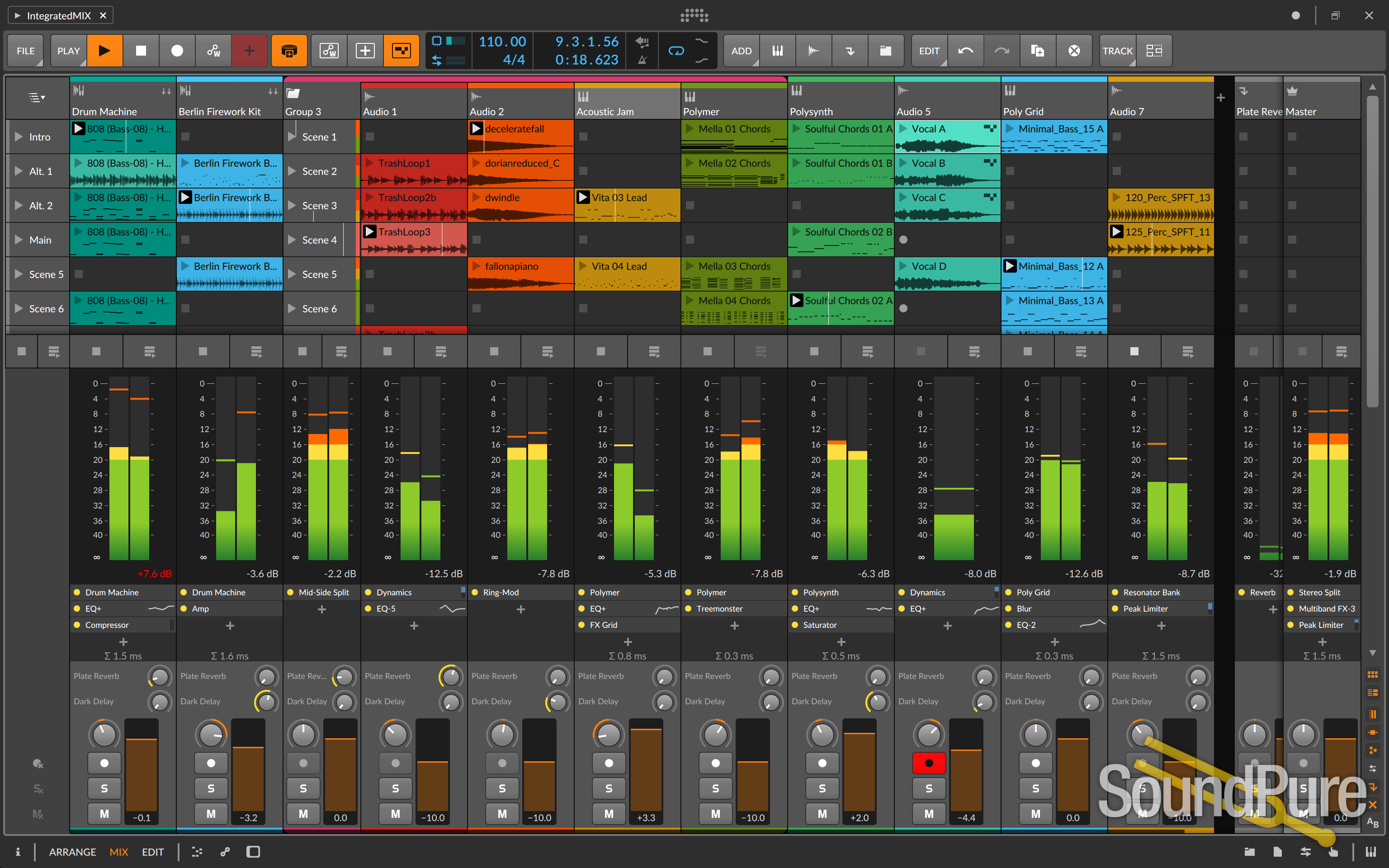
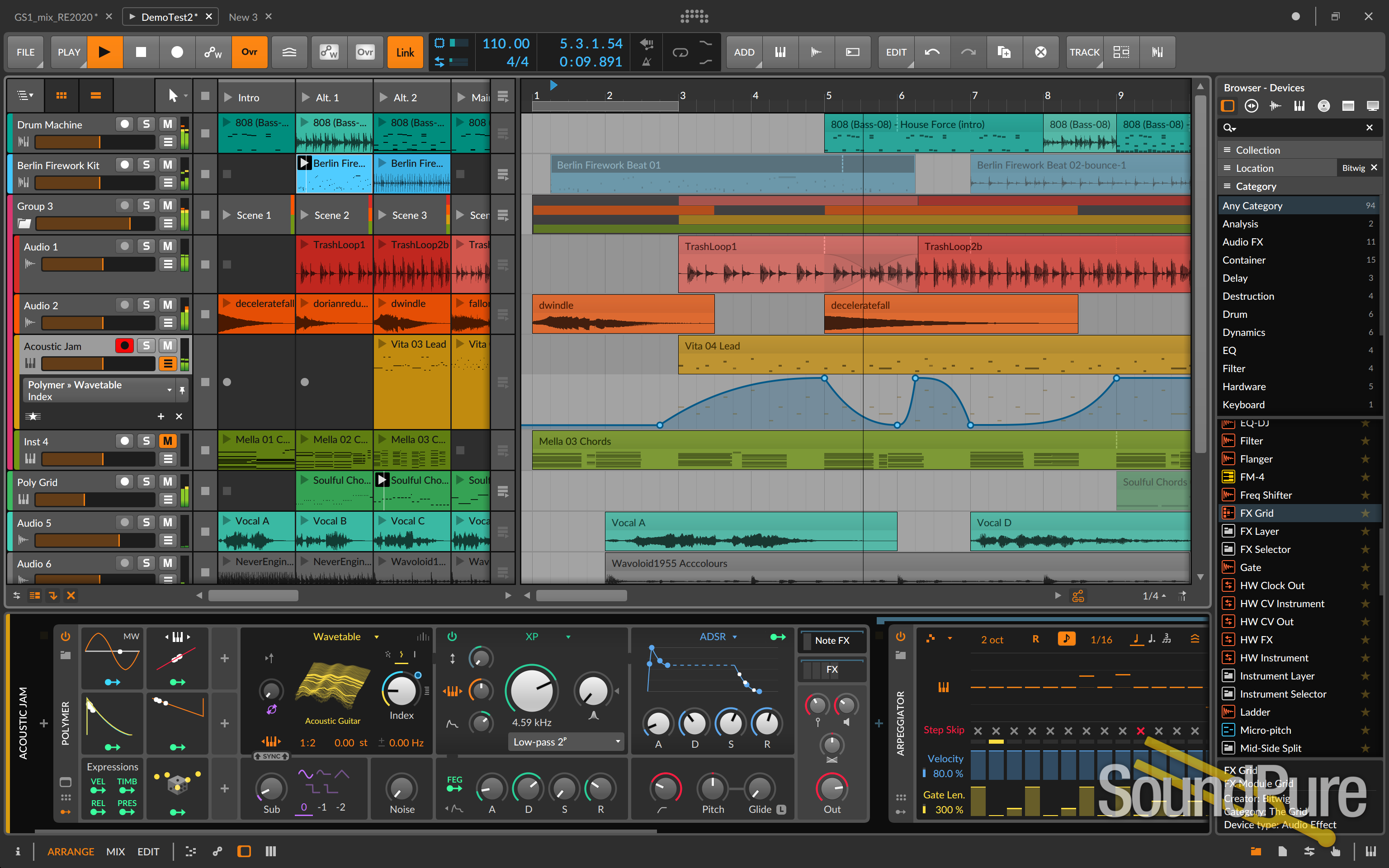
Arrange in the timeline, perform in the Clip Launcher, and take your musical ideas through each stage of production. Here are the main features at a glance:
  • Native cross-platform DAW (Windows, macOS, Linux)

  • Modular device structure with advanced nesting and routing

  • Award-winning instruments & effects, including our Sampler and Polysynth

  • Unlimited VST and VST3 support, with built-in 32-/64-bit bridging, plug-in crash protection, and delay compensation

  • Modulate any device, VST plug-in, or hardware parameter with Bitwig's program-wide modulators (Macros, Note Expressions, LFOs, and more)

  • Industry-leading hardware integration: connect synthesizers, drum machines and other hardware devices seamlessly into your workflow over MIDI, CV/Gate, and analog clock

  • Unlock your creativity with Operators, Voice Stacking, touch and MPE support

12 Months of Free Upgrades

Future-proof: All software updates in the following 12 months are FREE.

What You Get

  • 16 audio-, instrument-, hybrid tracks

  • 2 effect tracks

  • 2 group tracks

  • 8 scenes

  • 4/8 audio I/O busses

  • Use as many VST plug-ins as you like (with 32-/64-bit bridging, delay compensation, and crash protection)

  • VST multi-out and side-chain not supported

  • 3 algorithms of time stretching:

  • Stretch, Stretch HD, Slice

  • 3 display profiles (single display only)

Instruments & Effects

In total 91 instruments, effects, note FX, and modulators.

Here are some highlights:

  • Polymer, Sampler, Drum Machine, and more

  • 31 excellent audio FX devices: Reverb, Delay, Distortion, EQ

  • 18 Modulators: LFO, ADSR, Macro, and many more

  • Hardware devices: control your hardware via MIDI and CV/Gate

Sound Content

From acoustic bass to futuristic glitch loops, we have your sound content needs covered.

Here's what you get with Bitwig Studio 16-Track:

  • Drum sounds: from classic to contemporary, professionally sampled, as single sounds and kits

  • "Bösendorfer" Grand Piano Light: a great sounding piano, ready to play

  • Wurlitzer E-Piano

  • 100's of world class presets for all included Bitwig instruments and audio effects

  • Clips and Templates to give your song creation a flying start

Want More?

Upgrade from 16-Track to Bitwig Studio to get the full experience.

Upgrade to Bitwig Studio now and enjoy unlimited tracks and scenes. Use as many VSTs in a project as you need and connect all your hardware I/O. Furthermore, an upgrade to Bitwig Studio opens the door to the complete Sound Content Library.

Key Features for Bitwig Studio 16-Track

High-performance audio software, with full multicore and multiprocessor support

ASIO, Core Audio, and JACK support including JACK transport on all platforms

32-bit floating point audio processing, up to 192 kHz audio sample rate

Scalable vector-based GUI

Unlimited Audio-, instrument-, hybrid tracks

Unlimited Effect tracks

Unlimited Group tracks (with groups in groups)

Unlimited Scenes

Unlimited VST plug-ins (with side-chain support, 32-/64-bit bridging, delay compensation, and crash protection)

VST plug-in multi-out

Audio comping

Audio export (including multi-track export)16-bit, 24-bit, 32-bit

File import
WAV, AIFF, MP3, AAC, WMA, FLAC, OGG Vorbis, MIDI
Audio I/O busses
Unlimited
8 Time stretching Algorithms
Stretch, Stretch HD, Slice, Cyclic, Elastique, Elastique Solo, Elastique Eco, Elastique Pro

Slice to multisample and slice to drum machine

Layered editing (notes and audio)

Bounce and Bounce in Place

Multiple projects

Expanded remote control editor

Display 7 profiles single display only

Project templates
Load and save

Seamless integration of clip launcher and timeline

Touch integration

MPE support
playing, recording, and editing

Plug-and-play MIDI controller support

Open controller API

MIDI clock sync

Ableton LINK

Voice Stacking for all devices

Operators for notes and audio events

Sound Content
  • Essentials Collection
  • Extended Collection
  • Artist Collection
  • Partner Collection
  • Partner Collection (Teasers)

Plus 13 instruments, 44 Audio FX, 24 Note FX, 38 Modulators, and comprehensive internal routing.

Free 3-Year Warranty

Sound Pure stands behind our products. Free three-year warranty on this item. Coverage exclusions live in Terms & Conditions, Section 27.

Level of support and expertise that simply isn't available at big-box megastores. Read the warranty →

Returns

Not eligible for Try Before You Buy or the 48-hour approval period. Standard return policy applies — see Terms & Conditions, Section 18 for details.

Sound Pure Studios Control Room A — Durham, NC

Sound Pure Studios · Durham, NC

Come hear it in our control rooms.

Sound Pure is a working studio in Durham, NC — a 1,000 sq ft live room and two pro control rooms. Book a session to audition gear in a world-class acoustic space before you buy.