Total to pay: $0.00

Avid Artist Control v2, from Avid

Share |
Product image + -
Avid Artist Control v2
(+) view full gallery
Avid Artist Control v2

Great looking programable Daw controller

Availability:

Usually ships 6-10 business days after order

Retail Price (MSRP): $1,666.00

$1,499.00

Checkout Now and Receive Free Shipping

GET IT NOW !

Need a lower price?

Get instant price quote! How does this work?

Want Expert Advice?

1-888-528-9703 (toll free)

1-919-682-5552 (international)

Email us

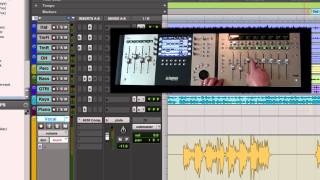
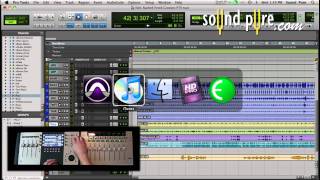
Avid Artist Series Demo - How to Create Custom Layouts (Artist Control/Artist Mix)

  • Products used:
    • Avid Artist Control v2
More text

Artist Mix and Artist Control Demos on how to create custom layouts using Avid's Pro Tools 9. Luke Smith demonstrates the ease and customizability of these control surfaces with the new Eucon support....

Less text

Artist Mix and Artist Control Demos on how to create custom layouts using Avid's Pro Tools 9. Luke Smith demonstrates the ease and customizability of these control surfaces with the new Eucon support. The next demonstration in this Eucon demo series will show cool new features when customizing the soft keys. Stay tuned for more videos featuring these incredible control surfaces. Call Sound Pure today for more information 919.682.5552.

How to Customize Soft Keys on Avid Artist Series Controllers (Artist Mix and Artist Control)

  • Products used:
    • Avid Artist Control v2
More text

Avid's Artist Series Control Surfaces are highly customizable control surfaces that help improve efficiency in audio tracking and mixing projects as well as any other application such as video editing...

Less text

Avid's Artist Series Control Surfaces are highly customizable control surfaces that help improve efficiency in audio tracking and mixing projects as well as any other application such as video editing, color correcting programs, or even iTunes. Luke Smith demonstrates how to customize soft keys and the touch screen with Eucon Commands on the Artist Mix and Control v2 in this demonstration video. Check out SoundPure's other videos in this Eucon series to learn about the new features available, or learn some neat tricks to help speed up your workflow. Call the crew at SoundPure for more information on these fantastic devices from Avid. 919.682.5552.

Avid EUCON Setup In ProTools 9 Demo - Euphonix Artist Series

  • Products used:
    • Pro Tools 9
    • Avid Artist Control v2
More text

Luke Smith from Avid demonstrates on the Euphonix Artist Control and Artist Mix the new EUCON support in ProTools 9 and the setup process. EUCON is a high-speed ethernet protocol developed by Euphonix...

Less text

Luke Smith from Avid demonstrates on the Euphonix Artist Control and Artist Mix the new EUCON support in ProTools 9 and the setup process. EUCON is a high-speed ethernet protocol developed by Euphonix and Avid that allows the Artist Mix and Artist Control units to control faders, knobs, displays and more for any supported application. Contact Sound Pure by email or phone for more information on Avid's products.

How to Program the Jog Wheel on Avid Artist Mix and Control

  • Products used:
    • Avid Artist Control v2
More text

Avid's Artist Mix and Artist Control, (formally the Euphonix Control Series) are highly customizable control surfaces for applications such as Pro Tools, Logic, Final Cut, Davinci Resolve, iTunes, a...

Less text

Avid's Artist Mix and Artist Control, (formally the Euphonix Control Series) are highly customizable control surfaces for applications such as Pro Tools, Logic, Final Cut, Davinci Resolve, iTunes, and much much more. Avid Applications Specialist Luke Smith demonstrates how to program the jog wheel on the Artist Control. In this demo, he shows the flexibility now available with the new Eucon support by creating a shortcut for changing the volume in iTunes. If you are looking for more demos on how to utilize your control surface in the most efficient way, check out our other videos in the Artist Series Demos. If you are interested in making your workflow more efficient, please contact the expert engineers at SoundPure for more information on these incredible control surfaces. Call us today at 919.682.5552 or 1.800.528.9703

Avid Artist Mix and Control Pro Tools 9 with Eucon Support - Track Navigation Enhancements

  • Products used:
    • Avid Artist Control v2
More text

Avid Applications Specialist Luke Smith demonstrates the new layout feature available on the Avid (Euphonix) Artist Series (Avid Artist Control and Avid Artist Mix) thanks to the new Eucon support. Lu...

Less text

Avid Applications Specialist Luke Smith demonstrates the new layout feature available on the Avid (Euphonix) Artist Series (Avid Artist Control and Avid Artist Mix) thanks to the new Eucon support. Luke shows how to setup custom layouts for different types of Pro Tools 9 sessions. Thanks to the new Eucon support, track navigation has never been easier. Watch our other demonstration videos in this Avid video series for more tips and tricks with the Artist Mix and Control. If you are interested in these products, call one of our experts for more details on these incredible control surfaces. 919-682-5552

What we think:

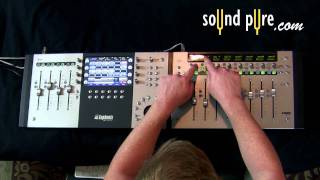
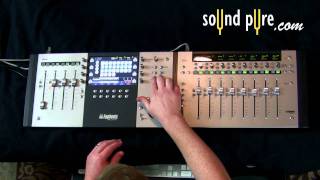
The Artist Control from Avid is a professional console designed to fit perfectly between the keyboard and the screen for easy access and portability. The Artist Control includes numerous features that can be expanded with the connection of additional Artist Mix units. The Artist Control allows you to easy switch between applications without ever touching your mouse and features a high-resolution touch-screen interface, soft keys, motorized faders, and track information all at your fingertips. This device runs on a EuCon protocol and is also compatible with most professional DAW's and Video Edit applications, including Pro Tools, Logic Pro, Final Cut Pro, Soundtrack Pro, Digital Performer, and much more. This nifty little control service is great for anyone looking for great professional control in any application on a compact and portable device.

Description:


Artist Control brings the unparalleled speed, resolution and DAW integration of Avid's high-end pro consoles to the personal studio in a revolutionary ergonomic, slim-line design. Artist Control fits perfectly between keyboard and screen, and can be connected to additional Artist Mix units to create a larger mixing control surface

Artist Control is loaded with power features to speed up and enhance your creativity with any media application.

Effortlessly switch between multiple applications and workstations at the touch of a button.

The Artist Control's high-resolution touch-screen interface, motorized faders and arsenal of rotary encoders, soft keys and transport controls instantly snap to the selected application to put multi-format metering, plug-in parameters, track information and much more at your fingertips.

Most importantly, software developers like Apple, Steinberg, MOTU and others have worked closely to integrate native support for Avid's EuCon control protocol into their DAWs to deliver an unmatched editing and mixing experience.

Features


1. Customizable Touch-screen Interface
2. Record/Automation Keys
3. Select/Assign Keys
4. Function Keys (Shift Keys)
5. Ethernet Port
6. Footswitch Jack
7. Transport Controls Jog/Shuttle/Zoom Wheel
8. Track Navigation
9. Application/Workstation Change
10. Monitor/Control Room Level
11. Assignable Soft Keys (12)
12. Touch-sensitive Rotary Encoders (8)
13. Touch-sensitive Motorized Faders (4)

EuCon is a high speed Ethernet control protocol developed by Euphonix that allows the Artist Mix to connect to any Mac OS X application. EuCon carries control information for faders, knobs, displays and more between the Artist Mix and whatever application is in focus on your computer.

EuCon is MIDI on steroids and is the next generation control protocol for working with music and video applications.

The EuControl application manages the Artist Mix's connection to the Mac, and the Artist Client application connects the EuCon control data to all the applications. The Artist Mix can connect to any application, but for fader and knob control, the application must be able to support either EuCon, HUI, or Mackie Control protocol.

DAWs and Video Edit applications which include EuCon, HUI or Mackie Control protocol include:

* Logic Pro
* Final Cut Pro
* Soundtrack Pro
* Cubase
* Nuendo
* Digital Performer
* Pro Tools
* Reason
* Live
* and more...

We also like: